
A promotional video should do more than look polished: it should make your offer easy to understand and give viewers a clear next step. Strong video content for business promotion can demonstrate how a product or service helps, build familiarity with your brand, and support campaigns across channels. The difference comes down to what the video communicates and how it guides viewers.
It’s reasonable to ask whether making a video is worth the effort. A focused video can bring your message to life, but it works best when its audience, purpose, and placement guide creative decisions from the outset.
Learn what to include in a promotional video, how templates and editing tools can help, and where to share it, from social media and your website to email and events. You’ll also learn how to tailor the length and format to your goal, so every scene earns its place.
Key Takeaways
- Use product updates and customer testimonials to make your offer clearer and build trust with prospective customers.
- Choose a template and editing tools that support your message, then shape each video for its intended audience and channel.
- Repurpose key footage for social media, websites, email, and events to extend the value of each production.
- Build a focused video around a strong opening, one main benefit, supporting detail, consistent branding, and a clear next step.
Why should I make a promo video?
A focused promotional video can explain value quickly, show a product in action, and give viewers a reason to respond.
Product Demonstrations and Tutorials
Show the product or service solving a specific customer problem. A coffee company, for example, can demonstrate brewing steps, while a software business can guide viewers through one useful feature. Keep each tutorial focused on a clear benefit, with close-up footage and readable instructions. A landing-page video can boost conversions by up to 80%, so connect the demonstration to the page’s next step.
Product updates and testimonials can give customers fresh reasons to engage. Use a short sequence: introduce the update, show what changed, then share a customer’s experience with permission. Build a first cut by choosing the clearest product footage, removing repeated takes, and arranging the remaining clips around one message. Animated visuals can explain an abstract service or process when live footage can’t show it clearly.
Launch Videos and Brand Storytelling
For a product launch, show the customer benefit before listing features. A compelling story might follow a buyer’s challenge, show the new product in use, and finish with a launch detail or next step. Brand storytelling can also highlight the people, process, or purpose behind an offer. Tailor the edit for YouTube and social media, where viewers may see it without prior context.
Professional production brings planning, controlled filming, and structured editing. In-house videos can be quicker to make and easier to update. Choose an approach based on the footage, message complexity, and consistency your campaign needs.
For advertising aimed at Nepal, keep claims accurate and clearly identify paid endorsements. Get permission for customer testimonials, music, and footage before publishing.
Measure ROI by linking the video to a defined action, such as enquiries or sales. Compare tracked results with campaign spending, and review watch time and clicks to see how viewers respond.
Common mistakes include a slow opening, unclear benefit, or missing next step. Hook viewers in the first 3 seconds, and avoid loud, sharp, or sudden sounds that may affect some people with disabilities, as the United Nations warns.
Creating videos with templates and editing tools
Start with the campaign goal and audience, then choose a template and editing workflow that support the message. A holiday offer, for example, calls for a different pace from a product launch. Strong video content for business promotion begins with these choices, not with effects or transitions.
Recording and Editing Promotional Videos
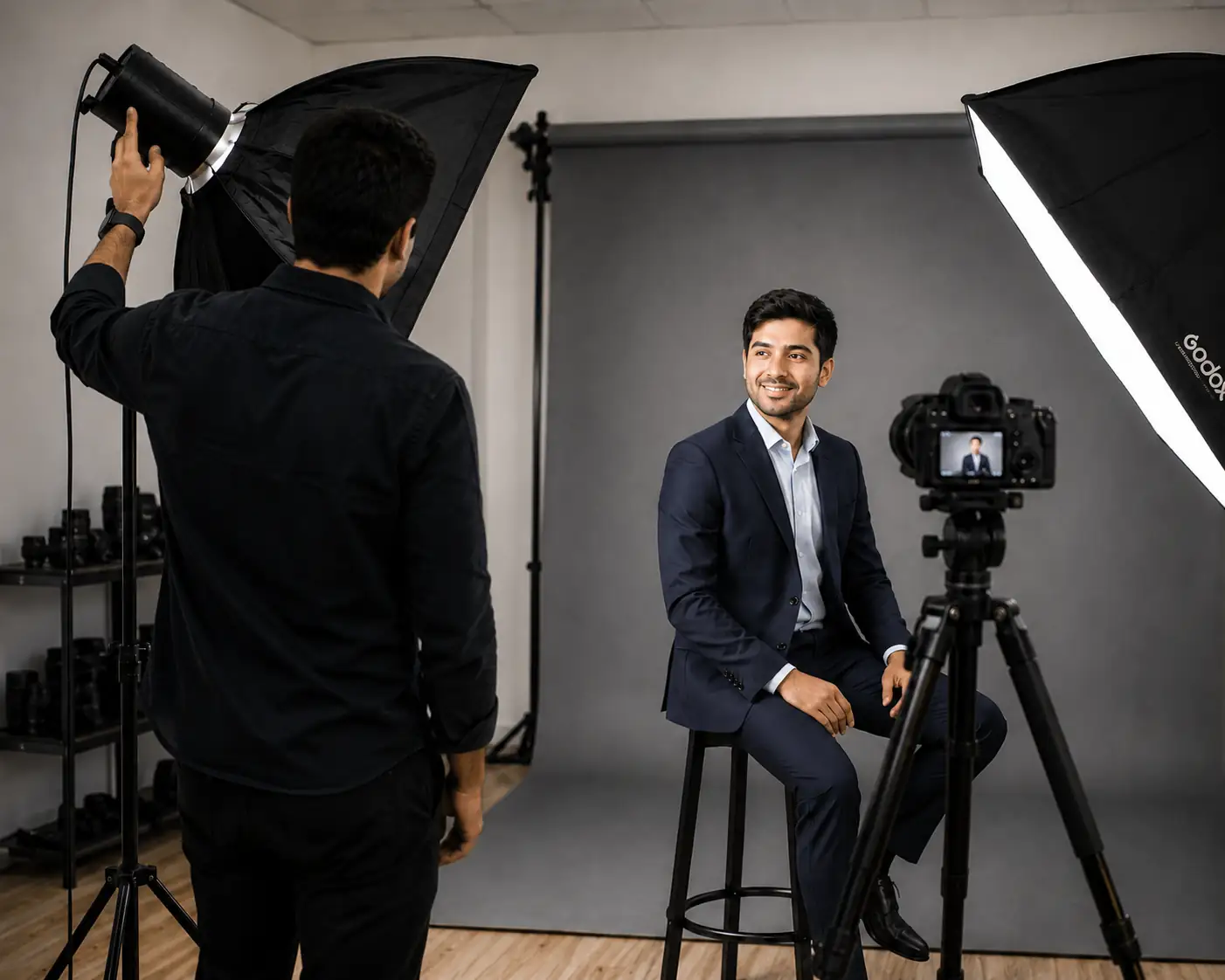
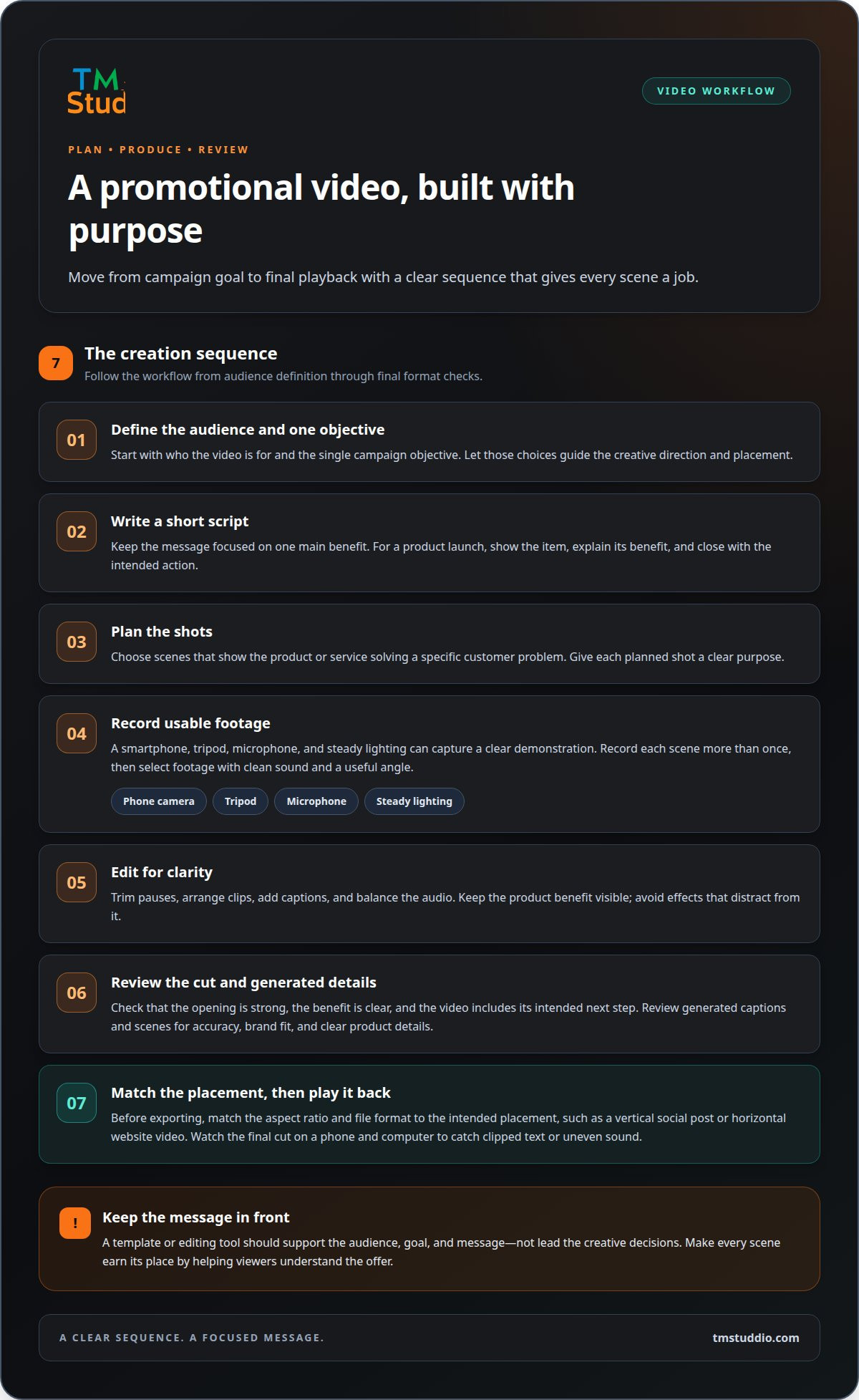
A smartphone, tripod, microphone, and steady lighting can capture a clear product demonstration. Record each scene more than once, then choose footage with clean sound and a useful angle. In an editor such as CapCut or DaVinci Resolve, trim pauses, arrange clips, add captions, and balance the audio. Keep the product benefit visible instead of adding effects that distract from it.
For a simple setup, use a phone camera, tripod, and microphone; an editing app can handle trimming, titles, and sound. Tools such as Canva offer templates for assembling branded scenes without building every layout from scratch.
Choose a template that fits the format and message, then replace its sample text, colours, and footage. Canva or Adobe Express can help create a consistent look for a social campaign or seasonal promotion. Free editing tools may cover basic cuts and titles, while advanced workflows can offer more control over audio, colour, and export settings. This helps keep video content for business promotion aligned with the campaign’s visual identity.
AI-powered editors can help generate captions, remove pauses, or turn a longer recording into shorter clips. Treat these features as time-saving tools: review every generated caption and scene for accuracy, brand fit, and clear product details before publishing.
Promotional Video Creation Steps
Build the video in a clear sequence: define the audience and one campaign objective, write a short script, plan the shots, record, edit, and review. For a product launch, show the item, explain its main benefit, and close with the intended action. This process gives each scene a purpose and gives the editor a practical standard for cutting footage.
Before exporting, match the aspect ratio and file format to the planned placement, such as a vertical social post or a horizontal website video. Watch the final cut on a phone and computer to catch clipped text or uneven sound. For help shaping scripts and edits, explore video content creation.
Sharing videos on social media, websites, email, and at events
Give each channel a clear purpose, then adapt the video’s format, captions, and graphics to suit it. One production can become several audience-ready assets.
Social Media Video Cutdowns
Build cutdowns from the strongest scenes in the main video. Keep one benefit, one visual idea, and one next step in each version. A 15-to-30-second social video can deliver a focused message, while a longer edit can demonstrate more detail. Adjust the crop for vertical or horizontal viewing, and keep essential text clear of platform buttons.
Social Media Promotion
In Nepal, YouTube, Facebook, Instagram, and TikTok are options for distributing business videos. Choose based on where your intended audience engages and what you want viewers to do. On YouTube, lead with the subject; on Facebook and Instagram, make the opening frame clear; on TikTok, build around a direct idea that feels native to the platform. Use captions and a visible next step across channels.
Posting is only the first step. Pair each video with a concise caption, relevant graphics, and a link or action that fits its message. Social media marketing can coordinate organic posts and paid promotion around a launch, product update, or seasonal campaign.
Video Length by Platform
Match duration to placement, not a universal platform rule. The practical guidance for social media promotional videos is 15 to 30 seconds. Use a short cutdown to highlight one benefit and a call to action; give a website product page or YouTube demonstration more time for a walkthrough. Review audience retention to identify where viewers leave, then refine the edit.
On a website, place the video beside the relevant offer, such as a product demonstration on its product page. In email, use a thumbnail that opens the hosted video, with a clear link for readers. For an event, prepare a version that works without sound, using captions and readable on-screen text. Plan these formats early so one script and set of visuals can support several channels.
Elements to include in a promotional video
A strong promotional video gives viewers a clear reason to keep watching and a simple next step. Use the first 3 seconds to open with a surprising visual, a customer problem, or a product in action. For example, a bakery could show a fresh loaf being sliced before introducing its offer. That opening connects the audience to the subject without a lengthy introduction.
Next, state one main benefit in direct language. An explainer for a delivery service might show how ordering works, then explain the convenience it offers. Support the claim with a relevant demonstration, product detail, or customer testimonial. Tie every scene to the central message so the video feels compelling rather than like a list of unrelated features.
Make the brand recognizable with consistent colours, logo placement, and tone. A clean background helps viewers focus on the product, while readable on-screen text reinforces key details. Add captions so the message remains clear when people watch without sound. Keep graphics purposeful: a label can identify a feature, but decorative elements shouldn’t compete with the product or speaker.
For a limited-time promotion, name the offer and its end date clearly. For instance, a video could advertise 20% off and display the expiration date beside the offer. Use that discount only when it reflects the actual promotion. Avoid claims the business can’t support, and make any paid partnership or endorsement clear to viewers.
Close with one call to action that tells viewers what to do next, such as booking, enquiring, or viewing a product page. Before you upload the final cut, check the spelling, offer details, logo, and audio. Download and review the exported file on a phone to catch cropped text or a distracting background. A focused promotional video content plan can bring those creative elements together around a clear business goal.
TM Studio: Videography
TM Studio helps businesses turn promotional video ideas into polished visual content through videography and content creation. Work with the team to shape the message, plan scenes, and edit assets for your campaign. Photography can complement video with consistent product and brand visuals, while search engine optimization can support relevant content’s discoverability.
Bring a launch, product demonstration, customer story, or service explainer into focus with a video built around your audience and business goal. The right approach connects creative decisions to practical use, whether you plan to share the finished video on social media, a website, or another channel.
Contact TM Studio to discuss your promotional video project.
Turn Your Next Video Idea Into Momentum
Your next campaign can start with one clear decision: what should viewers understand, feel, or do after watching? Let that goal guide the creative direction, then build a video that fits your brand and the channels where your audience will encounter it. Thoughtful video content for business promotion can become a practical part of how your business communicates, not just another asset waiting to be published.
TM Studio brings videography together with photography and search engine optimization, supporting visual content and its online discoverability. If you’re ready to shape a promotional video around a business goal, contact TM Studio about your video.
Start with the message you want customers to remember, then take the next step with confidence.
Frequently Asked Questions
Can I make versions for different platforms?
Yes. Adapt the same core idea into versions for different placements and audiences. For example, a Kathmandu retailer could use one edit to introduce a new collection, then create another highlighting a specific item for returning customers. Keep the offer consistent, but adjust the opening, framing, and call to action to suit each version’s purpose.
Can I use my own script, logo and brand assets?
Yes. Share your script, logo, colours, product images, and other brand assets as creative inputs. They help keep the finished video aligned with your established identity. If your script is still a draft, Content Creation can help shape messaging and video scripts around your campaign. For example, provide the essential product details and desired tone before production begins.
What types of video content work best for business promotion?
The strongest format depends on what customers need to understand before acting. A service business might use a short explainer to clarify its process, while a retailer could show how an item works. Customer testimonials can add a personal perspective, and launch videos can introduce a new offer. Choose the format that answers your audience’s main question with useful, specific content.